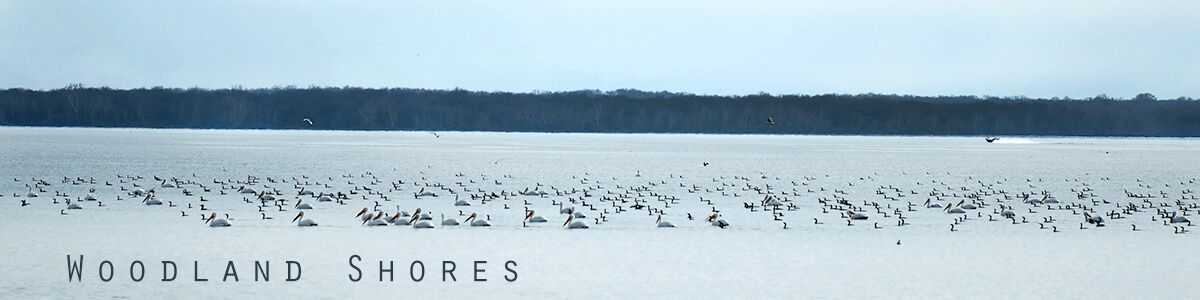
Anybody with an internet connection can now visit The Shores.
I’m not sure if it qualifies as a community boon or an invasion of privacy, but the streets of our beloved Woodland Shores are now available for inspection — up close and personal — on Google Maps. I’m both surprised, and disappointed.
It’s called Google Street View and I’ll admit that I’ve found it to be useful over the years, when looking up addresses for shopping, and restaurants, etc. I’ve even used it while house shopping (which I’m feeling strangely hypocritical about at the moment) because it allowed me to check out the neighborhoods and surrounding areas of properties I was interested in purchasing. It’s a great little tool, when considered from the point of view of the information gatherer, but not so much when viewed from the perspective of a property owner desirous of privacy. Judging from the Street View photos of our place, I’m guessing the Google Street View Car drove and photographed the roads of Woodland Shores some time around March 1st.
Communities have been successful in removing their neighborhoods from Street View entirely, but only when they band together and go the legal route toward that common goal. Individuals are not as lucky. But hope is not lost; you can request a blur.
If you would like to have your home’s Street View photo blurred out, there is a procedure that will allow you to do so. Just be forewarned that the blur is permanent and cannot be undone.

Retouched screenshot of Google Street View in Woodland Shores by Lisa Morgan.
I found an online article, published in May of 2022 on mashable.com, entitled “How to blur your house on Google Street View (and why you should)” that gives step-by-step instructions on how to contact Google and request that your home (or license plates, faces, etc) be removed (blurred) from Google Street View. The article is well worth a read, and the page includes links to other privacy-related topics which I found useful. But for simplicity’s sake I’ve included a screenshot of the steps it takes to request a permanent blur of your property image so that you can easily reference them here — in case the article disappears for one reason or another.
The folks at Google do make the “report a problem” link a bit of a challenge to find at first. While you’re looking at the Street View photo of your house, point your mouse wayyy down on the bottom far right-hand corner of your screen. The words “Report a problem” are in teeny-tiny print. Click on them and then you’ll be presented with a form to fill out. The whole process is pretty easy. The hardest part is finding that link in tiny print. I put a screenshot at the bottom of this post with the “Report a problem” link marked in red. (I repeat… Google warns that this is a permanent action.)
I made my blur request this morning, in preparation for writing this post. Honestly, I didn’t know what to expect. I half figured that it would be routed to a big ol’ repository of unread emails somewhere in the bowels of our local Google data center, but I was very pleasantly surprised to receive an email response in less than fifteen minutes confirming that the Street View issue I reported had been “updated” and I “should be able to see the change I requested within the next 24 hours.”
We’ll see. Fingers crossed.
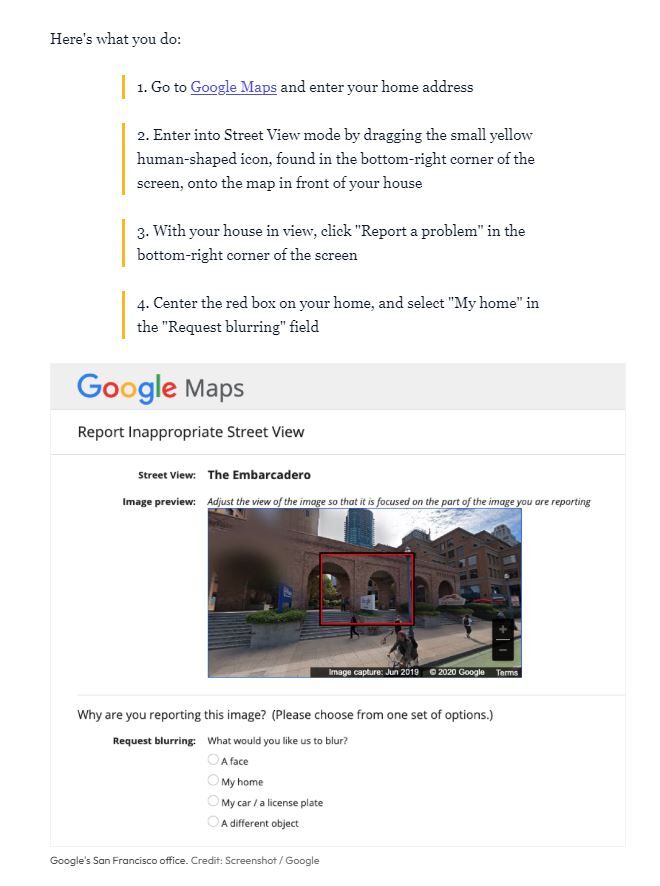
Screenshot of https://mashable.com/article/how-to-blur-your-house-on-google-street-view
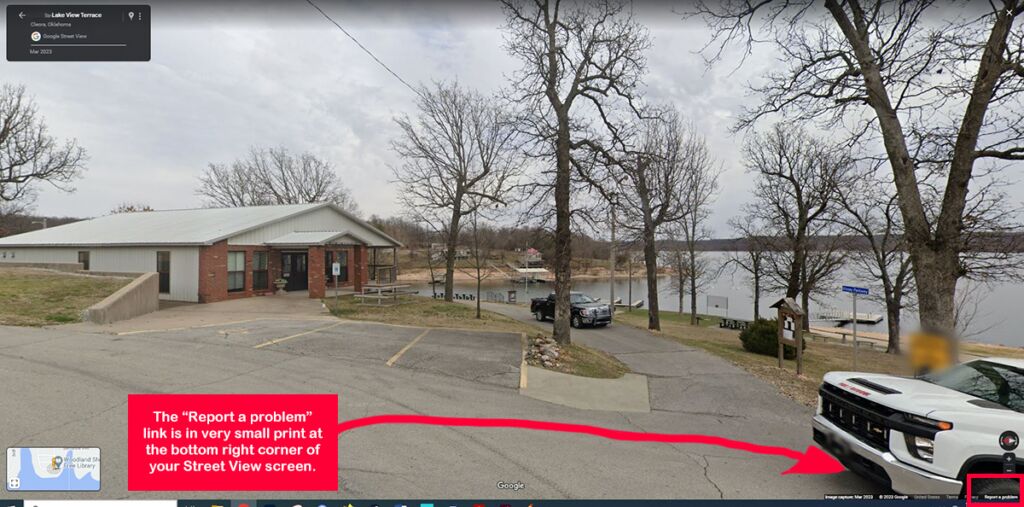
Screenshot of Google Street View image showing Shores Community center.


I’m so glad to see such attention to this work product. It gets better and better with improvisations. Why all the SECURITY codswallop?